Finding factors in diagrams

I'm trying to find all factors in a project that mention a particular word, in this case, 'shoreline'. I can search for this word in the 'Factors' list under 'Project Overview', and get a list of results, but then what's the best way to locate each factor in its respective RC or situation diagram? I think I need another column in the 'Factors' table that says what strategy or RC the factor is linked to. Is there any way to find this out, short of searching by brute force through all the RCs and CMs in my project?
Thank you!!
-
Official comment

Hi Wessyl,
You can find this information in a second table available in the 'Factors' view. Next to the title of the table, use the downward pointing arrow to access the 'Shareable Factors Across Diagrams' table. On the right, you see two columns showing which situation models and results chains the factors appear in.
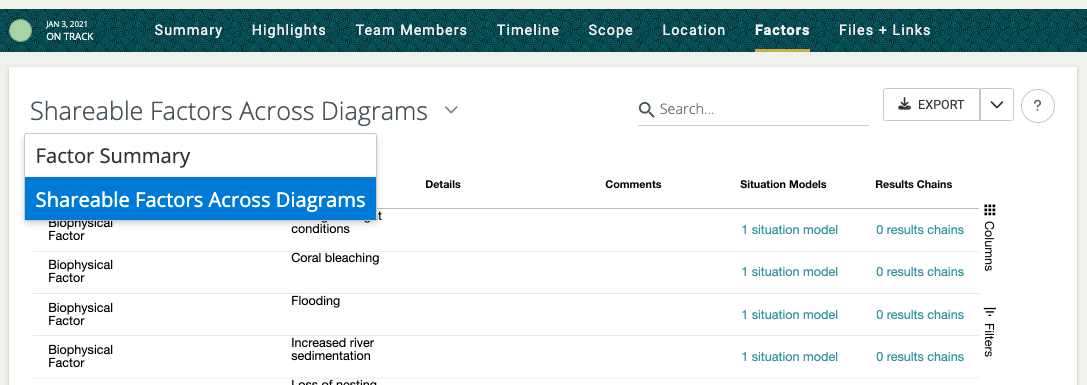
Click on the name of a diagram to navigate directly to the diagram page.
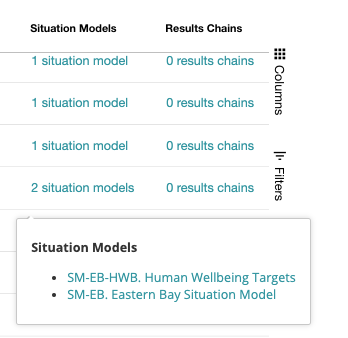
I hope that helps!
-
That's super helpful! Thank you! One question: What ISN'T a shareable factor? I read this as "shared" factors. Are some factors not shareable? Thank you!
0 -
Yep, you are correct that some factors are not shareable. Generally, the factors that you can add directly to Situation Model or Results Chain diagrams can be shared, but the "elements" that belong to those factors can not be shared on their own.
The diagram factors that can be shared include:- Targets and Human Wellbeing Targets
- Scope box
- Strategies
- Threats
- Contributing Factors and Biophysical Factors
- Results (Intermediate, Threat Reduction, Biophysical)
- Assumptions
The above factors are all included in the Add Factors menu of the Situation Model and Results Chain view: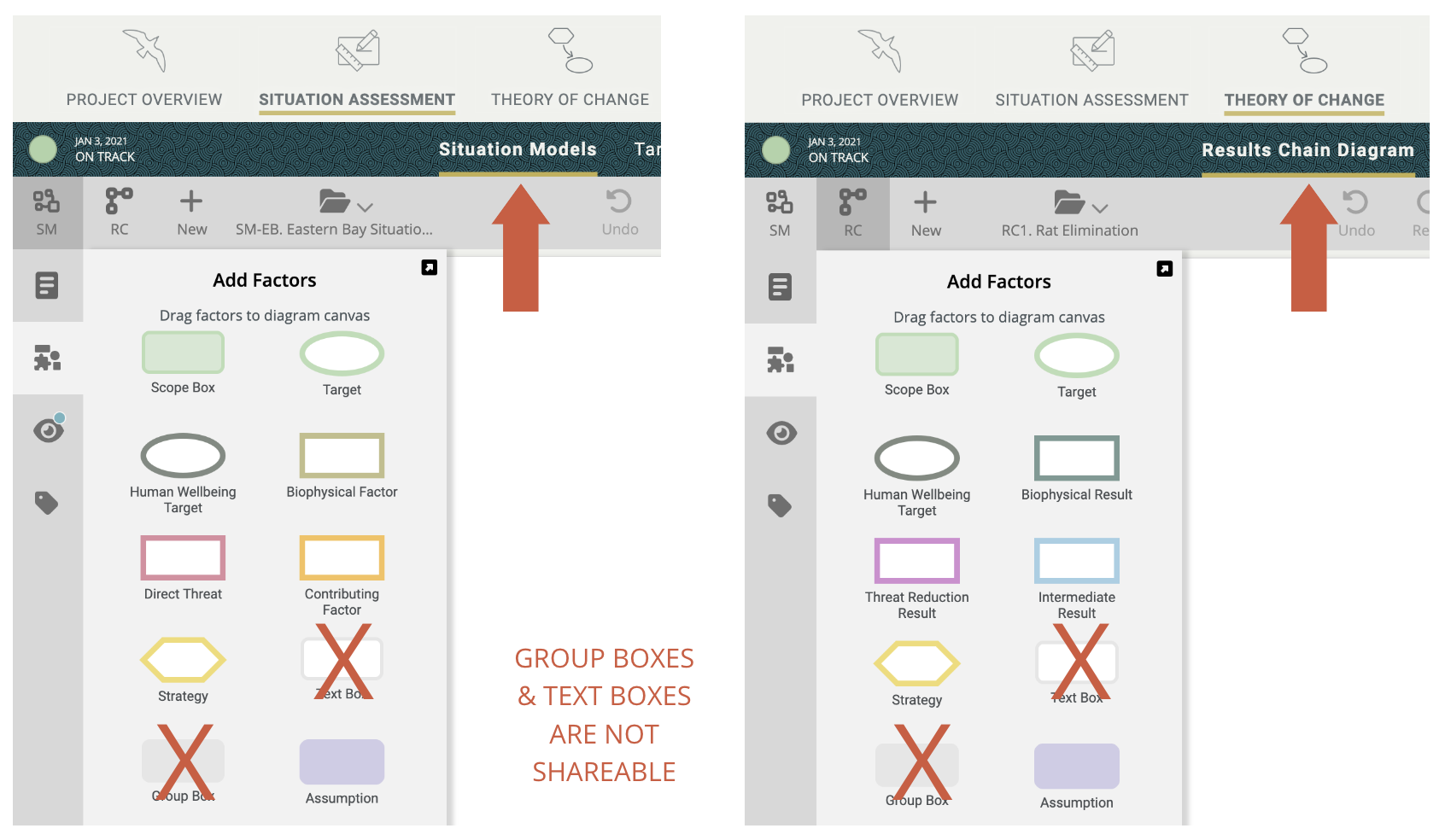 The "elements" that belong to the primary factors can not be shared independently, although they are included when their parent factor is shared.
- Goals and Objectives
- Indicators
- Activities and Tasks
- Subassumptions
Lean more about Copying versus Sharing Factors in Miradi.0
Please sign in to leave a comment.
Comments
3 comments